

How to Use AI for Daily Tasks Without Adding More Work
If you want to know how to use AI for daily tasks, you are not alone. In 2026, millions of people use AI tools to save time on email, planning, note-taking, and more. The good news is that you do not need to be a tech expert. AI tools like ChatGPT, Gemini, Copilot, Notion AI, Claude AI are designed for everyday people. This guide shows you simple, practical ways to let AI handle the boring parts of your day so you can focus on what actually matters.
Small tasks steal more time than big projects. A few minutes on email, meal planning, note cleanup, and calendar fixes can quietly eat an hour. In plain language, AI is a set of tools that can help you write, sort, summarize, plan, and suggest next steps.
Use AI for writing, inbox cleanup, and quick summaries
Email is one of the easiest places to start with AI. Most people spend 1 to 2 hours a day on email and AI can cut that in half.Here is what you can do:• Ask ChatGPT or Gemini to draft a reply. Just paste the email you received and type:
'Write a polite reply saying I will follow up next week.'
• Use Grammarly to check your writing. It fixes grammar, tone, and spelling in real time.
• Use Shortwave (an AI email app) to summarize long email threads in one click.
• Use Google Workspace AI to suggest replies and organize your inbox automatically.
The key is to stop writing from scratch. Give the AI a starting point, edit it to sound like you, and send.

Use AI for planning your day, calendar, and chores
Planning is another task where AI saves real time. A to do list that falls apart by lunch is a common problem. AI can help fix this.
• Use Motion or Reclaim.ai these tools automatically schedule your tasks based on your deadlines and energy levels
.• Use Google Calendar with Gemini to suggest the best time for meetings and protect your focus hours.
• Use Cookwise or a simple ChatGPT prompt to plan your weekly meals and grocery list in minutes.
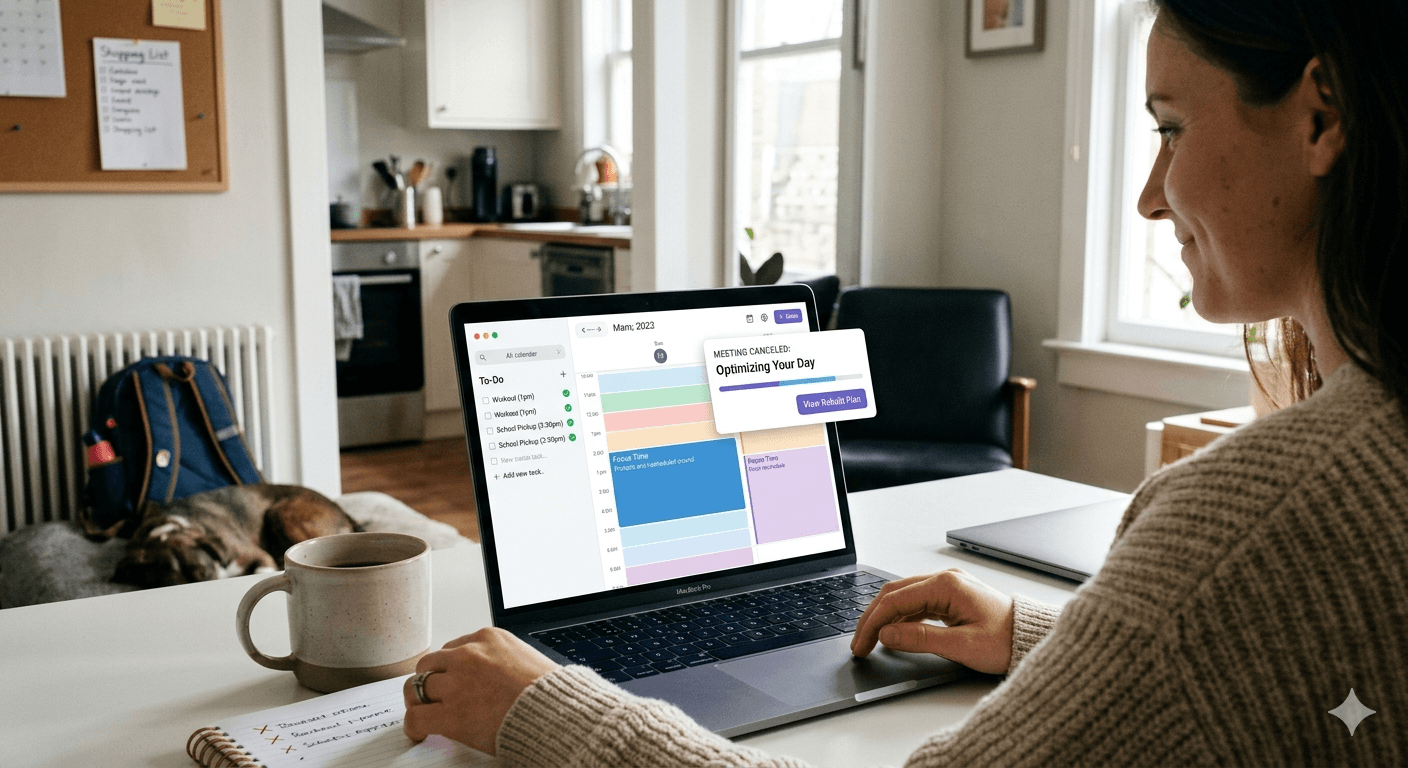
The biggest mistake is adding too many apps at once. If your "productivity system" feels like another chore, it will not last. Start with one tool for thinking and one for scheduling. That is enough for most people
A good daily routine also follows your real energy, not an ideal version of you. Use AI when you are tired, rushed, or staring at too much information. Those are the moments when it saves the most time.
A good daily routine follows your real energy — not an ideal version of it. Use AI when you feel tired, rushed, or low on information. Those are the moments it helps the most.
Use AI to Draft Content in Your Own Voice
The biggest mistake people make is using AI output word-for-word. AI is a starting point, not a final product. Here is the right way to use it for writing:
• Give ChatGPT or Claude a rough idea: Write a short caption for a photo of a home office setup. Keep it casual and friendly.
• Read the output, then rewrite 30 to 40% of it in your own words.
• Use your real name, opinions, and examples to make it personal. This approach is 3 to 4 times faster than writing from zero and the result still sounds like you.
Set up one tool for thinking and one tool for scheduling
For most people, a simple two-tool setup works best:
• One thinking tool — ChatGPT, Gemini, or Claude for writing, research, and ideas.
• One scheduling tool Todoist, Notion, or Reclaim.ai for tasks and calendar management. Move your most important tasks into your calendar first. Then plan the smaller tasks around them. You can say to your AI:'Turn this brain dump into today's top three tasks.' That one prompt saves 10 to 15 minutes every morning.
Prompts do not need to be complex. Simple, clear inputs get the best results.
Create small habits for mornings, work blocks, and evenings
In the morning: Ask AI to sort your priorities. Draft two key messages. This takes five minutes and cuts decision fatigue early.
During work blocks: Use AI as a fast editor or summarizer. Drop in a meeting transcript and ask for key actions or a short summary you can share with your team.
In the evening: Ask AI to review unfinished tasks. Move what still matters to tomorrow's list. You can also build a grocery list from what is left in the fridge — those small habits save more time than any big productivity system.
Use AI wisely so it saves time, not creates new problems
AI can save time. But it can also create extra work if you trust it too much. Here is what to watch out for:
• A fast wrong answer still wastes time. Always read the output before using it.
• Do not copy sensitive information into public AI tools. Use private or business versions of these tools for sensitive work.
• The best approach is calm and selective. Use AI for support not blind decisions.
Fact check important details and keep personal data private
AI can sound confident even when it is wrong. It may misquote statistics, swap dates, or add details that look believable but are false. Always verify:
• Prices, legal terms, medical advice, or financial information before you act on them.
• Any claim about a specific person, company, or recent event. For privacy: do not paste your ID, salary, passwords, or client data into public AI chat tools. Check the privacy settings of every tool you use. Most reputable AI tools give you control over your data take five minutes to check.
Choose tools that fit your life, not every new app you see
In 2026, there are hundreds of AI tools. More apps do not mean better results. Many apps solve the same problem. Pick one and use it well. A good rule:
• If you already use Google tools start with Gemini. It connects to Gmail, Docs, and Calendar.
• If you use Microsoft tools try Microsoft Copilot inside Word, Excel, and Outlook
.• If you are starting fresh Notion AI is one of the best all-in-one options for notes, tasks, and writing. Give each tool one week. If it does not save time or reduce mental effort, cut it. It works best when it handles the small stuff so you stop postponing the things that actually matter.